A page built for your question
Hourglass and legacy CRM suites, side by side
How the day-to-day work compares for marketing, sales and service teams.
| Feature | Hourglass | Legacy CRM suites |
|---|---|---|
| Time to go live | Weeks, with a planned, team-by-team start | Months of configuration, often with an outside consultant |
| Customer record | One record shared by marketing, sales and service | Separate products that need connectors to share data |
| AI agents | Built in, with permissions, approvals and an activity log | Sold as add-ons and set up separately for each product |
| Who runs it | Your own admins, with guided setup | A dedicated admin team or an outside partner |
| Pricing | A free CRM, then hubs and seats as you grow | Long contracts and a separate bill for each product |
| Upgrades | New features arrive in place, with nothing to migrate | Major upgrades planned and run as projects |
One platform or a stack of tools
What changes when every team works from the same customer record.
| Feature | Hourglass | A stack of point tools |
|---|---|---|
| Customer data | One record that every tool shares | A copy in each tool, kept in step by hand or by connectors |
| Handoffs | Marketing, sales and service on the same timeline | Exports, imports and context lost in between |
| Reporting | One report from first visit to renewal | A spreadsheet stitched together from several dashboards |
| AI agents | Agents that read the whole customer record | Separate assistants that only see their own tool |
| Admin | One login and one set of permissions | Separate users, roles and bills for every tool |
| Cost | One price that grows with you | Several subscriptions that grow separately |
Why teams outgrow the spreadsheet
The free Smart CRM does what the spreadsheet did, and the work around it.
| Feature | Hourglass | Spreadsheets and inboxes |
|---|---|---|
| Contacts and deals | Shared, searchable and always current | Copies on laptops that drift apart |
| Follow-ups | Reminders and tasks in the right person’s queue | Remembered, or not |
| Customer emails | Logged on the contact for the whole team | Hidden in personal inboxes |
| Reporting | Live dashboards anyone can open | Redone by hand every month |
| Security | Permissions and a history of every change | Files shared by link |
| Cost | Free for your whole team to start | Free, plus the hours spent keeping it current |
Buying Hourglass or building your own
Where your engineers’ time goes in each case.
| Feature | Hourglass | A homegrown CRM |
|---|---|---|
| Flexibility | Custom objects, fields and pipelines, without code | Anything, once an engineer builds it |
| Upkeep | Updates, security and backups included | Your team maintains every part |
| AI agents | Ready to use, with permissions and review built in | A project to build, govern and maintain |
| Integrations | Ready-made two-way syncs | Custom code for each connection |
| Time to value | Weeks | Months, then ongoing work |
| Your data | Yours, and exportable at any time | Yours, in your own database |
Manufacturing
Built for complex products and long relationships
Hourglass follows an account from the first quote through years of service.
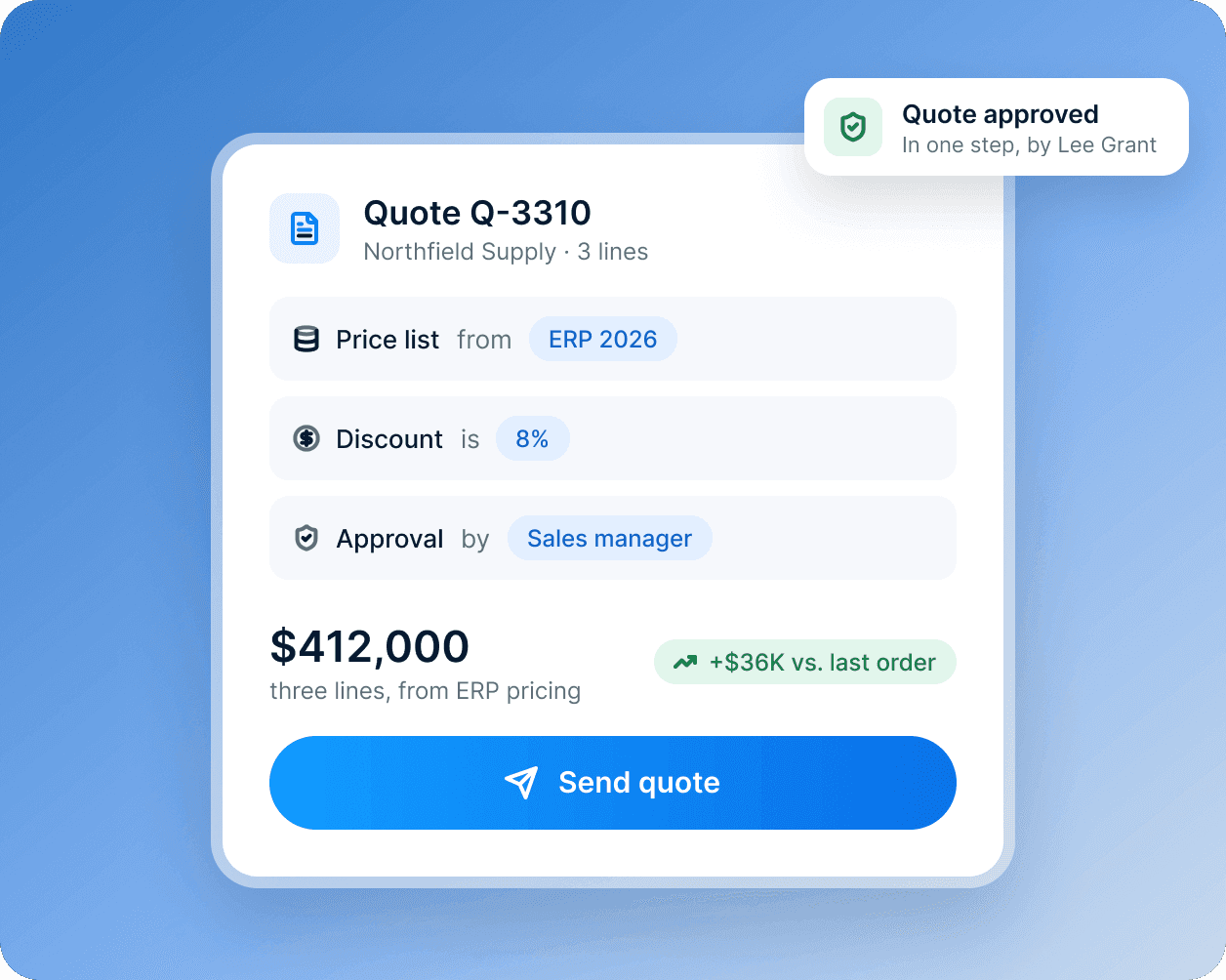
Quotes from your real price lists
Build quotes from ERP pricing and discount rules, and route them for approval without long email chains.
- Prices from your ERP
- Discount rules with one-step approval
- Every dealer and distributor deal on the account
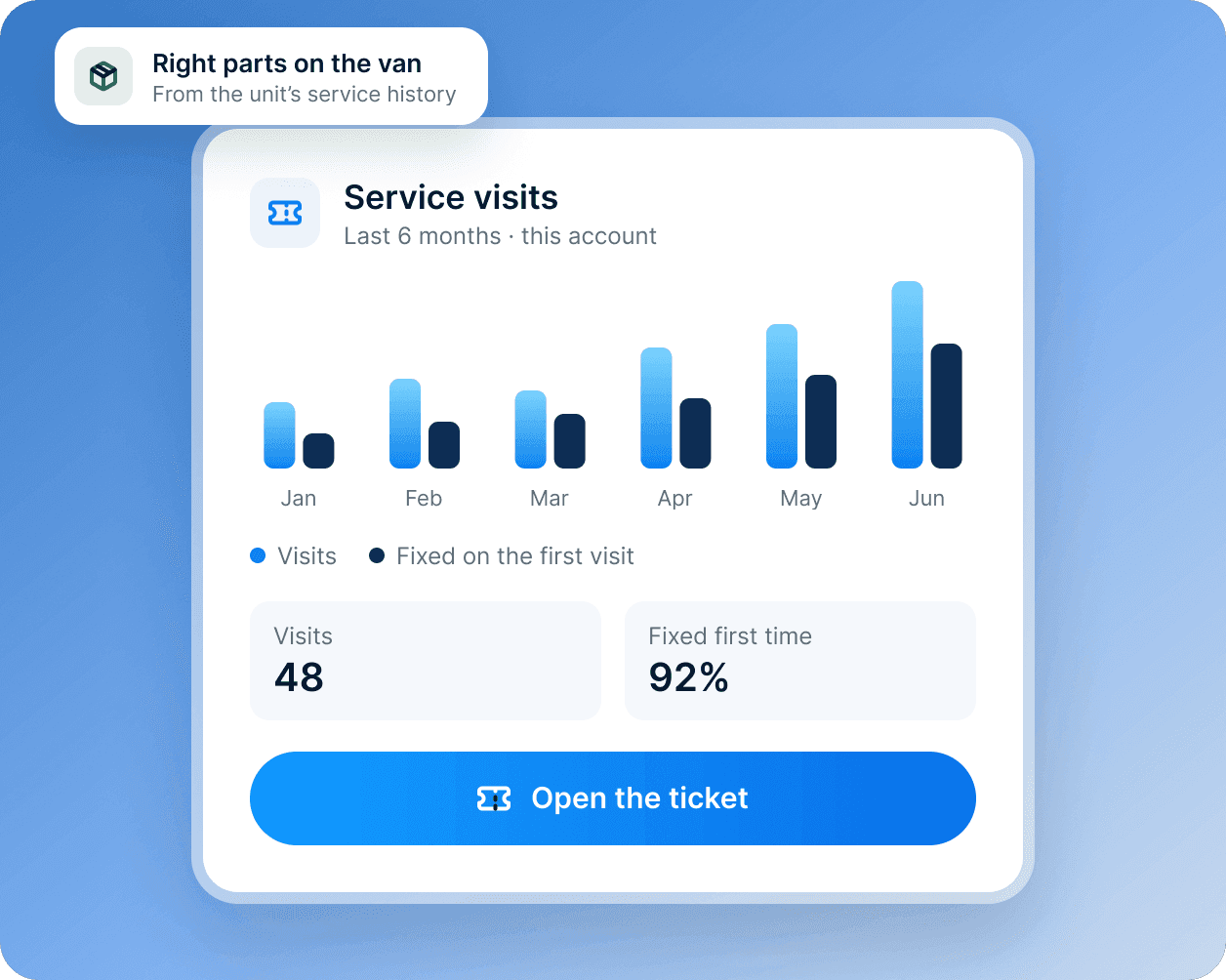
Service history on every ticket
Technicians see installed equipment, past visits and parts used before they arrive.
- Installed equipment on every ticket
- Past visits and parts used
- The right parts on the van