Built for your question · 3 sections from 1 page + 1 from the docs

Back to original
1 · From Marketing Hub (opens in a new tab)

Marketing Hub

Campaigns that start from what customers actually do

Plan, launch and measure email, social and ads from the same record your sales and service teams use. The Campaign Agent drafts the first version, and your team decides what goes out.

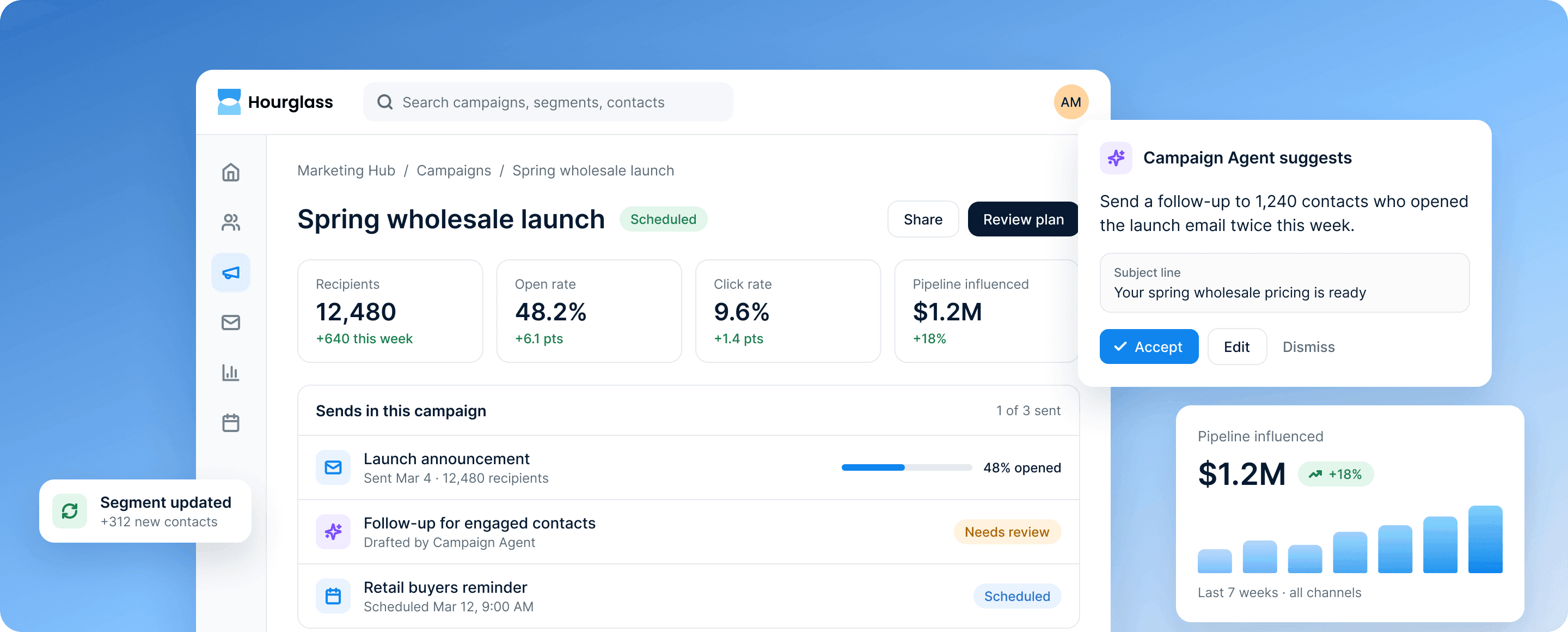
The Marketing Hub campaign screen: the Spring wholesale launch with 12,480 recipients, a 48.2% open rate and $1.2M pipeline influenced, beside a Campaign Agent suggestion to follow up with 1,240 engaged contacts.
2 · From Marketing Hub (opens in a new tab)

How it works

From the right audience to revenue you can trace

Every list, send and result stays tied to the customer record, so nothing gets lost between teams.

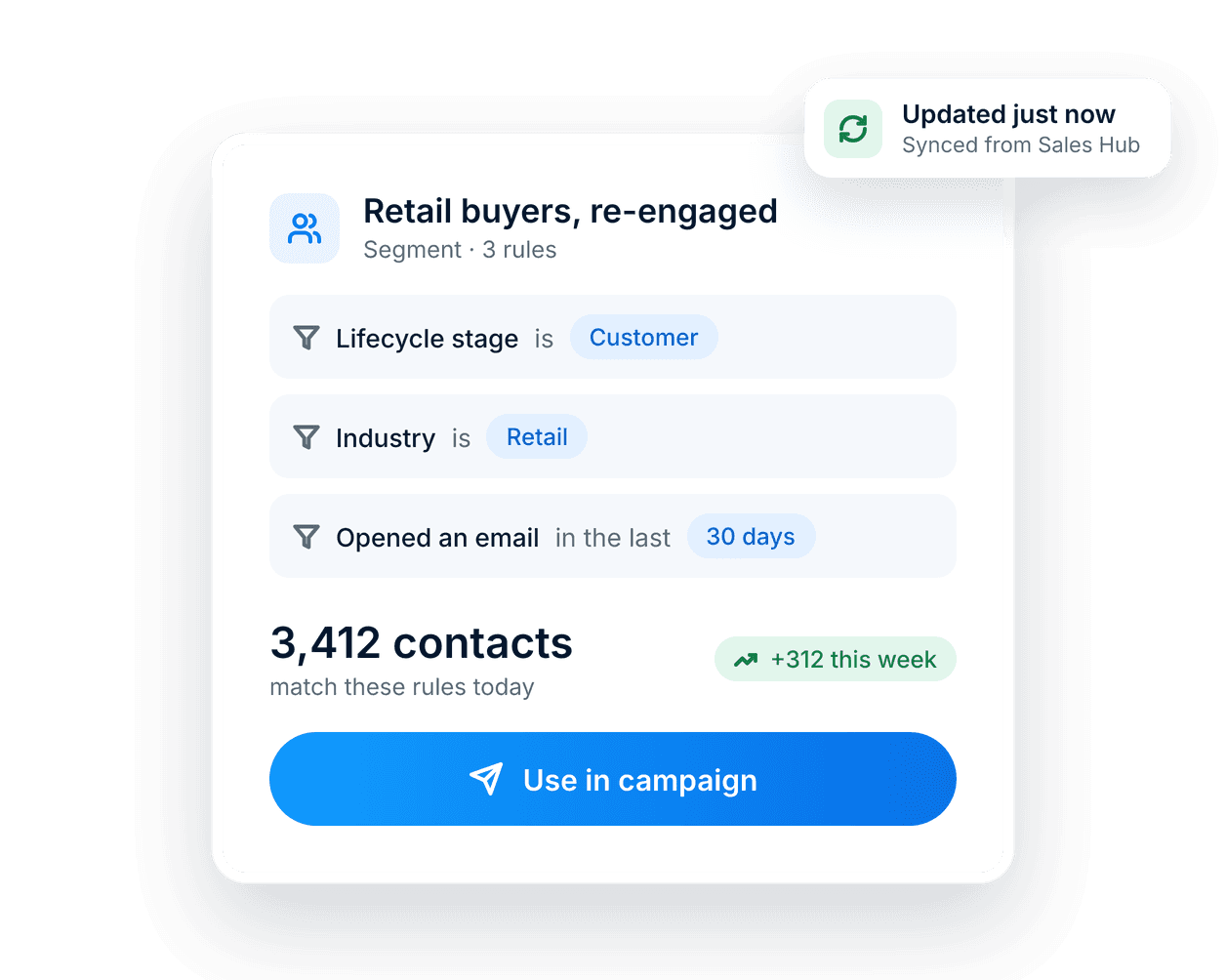
A segment card: retail buyers re-engaged by three rules, 3,412 matching contacts, a Use in campaign button and an Updated just now chip.

Segments that update themselves

Build a segment once. As sales and service update records, contacts move in and out on their own, so every send reaches the right people.

  • Rules based on any field on the record
  • Counts refresh as records change
  • Reuse one segment across email and journeys
Learn more about the Smart CRM record
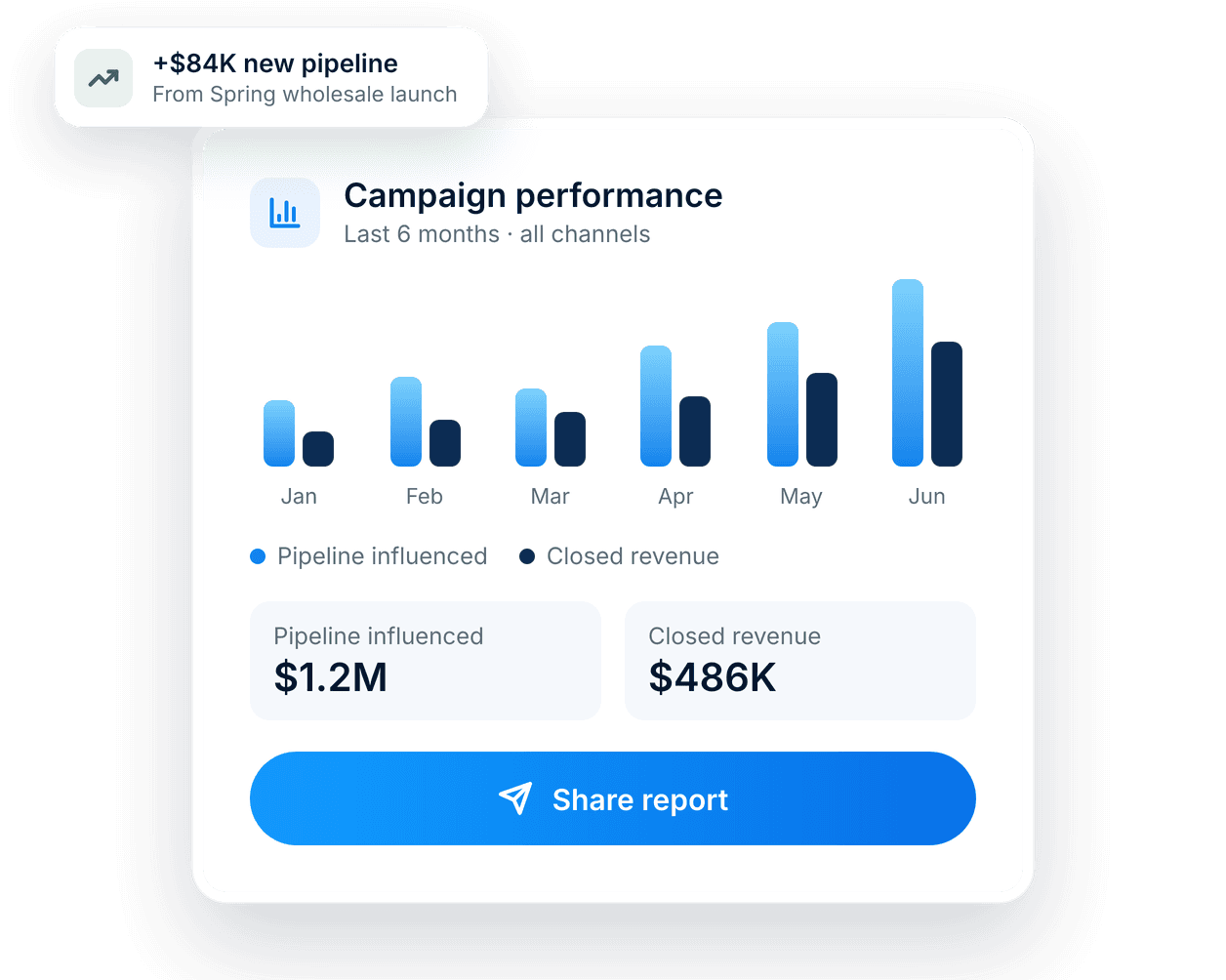
A campaign performance card: six months of pipeline and revenue bars, $1.2M pipeline influenced, $486K closed revenue and a +$84K new pipeline chip.

Reporting tied to revenue

See which campaigns started conversations, opened deals and closed revenue, not just who opened an email.

  • Pipeline and revenue influenced, by campaign
  • Compare channels and segments side by side
  • Dashboards marketing and sales both trust
Learn more about Revenue Hub
3 · From Marketing Hub (opens in a new tab)

What’s included

Everything marketing needs, on one record

Email, segments, journeys, forms and reporting share the record your sales and service teams already use.

  • Email campaigns

    Build sends from templates your brand team approves. Every open, click and reply is logged on the contact record.

  • Live segments

    Segments update as records change in sales and service, so your lists are never a week out of date.

  • Journeys

    Trigger the next step from what customers actually do, across email, forms and your website.

  • Forms and landing pages

    Capture leads straight onto the customer record. No exports, no syncing, no duplicates.

  • Campaign reporting

    See opens, clicks and pipeline influenced in one view, by campaign, channel or segment.

  • Handoff to sales

    Route warm leads to the right rep with the full history attached, so the first call starts in context.

DocsFrom the Hourglass documentation

The rest of your answer, from the docs

The site doesn't have a page for this yet, so here is the documentation, word for word.

Marketing › Email deliverability

Authenticate your sending domain

Under Marketing › Settings › Sending domains, add your domain. Hourglass gives you three DNS records to publish:

  • an SPF include,
  • two DKIM keys,
  • a DMARC policy, if you don't have one already.

Verification usually finishes within an hour, and always within 48 hours. Until then, marketing email sends from a shared Hourglass domain.

Read the full guide in the docs (opens in a new tab)