
Built for your question · 3 sections from 1 page + 1 from the docs

Back to original
1 · From Data Hub (opens in a new tab)

Data Hub

Clean, connected customer data for every team

Sync your warehouse, ERP and billing tools into the Smart CRM, keep records clean automatically and decide who can see and change each field.

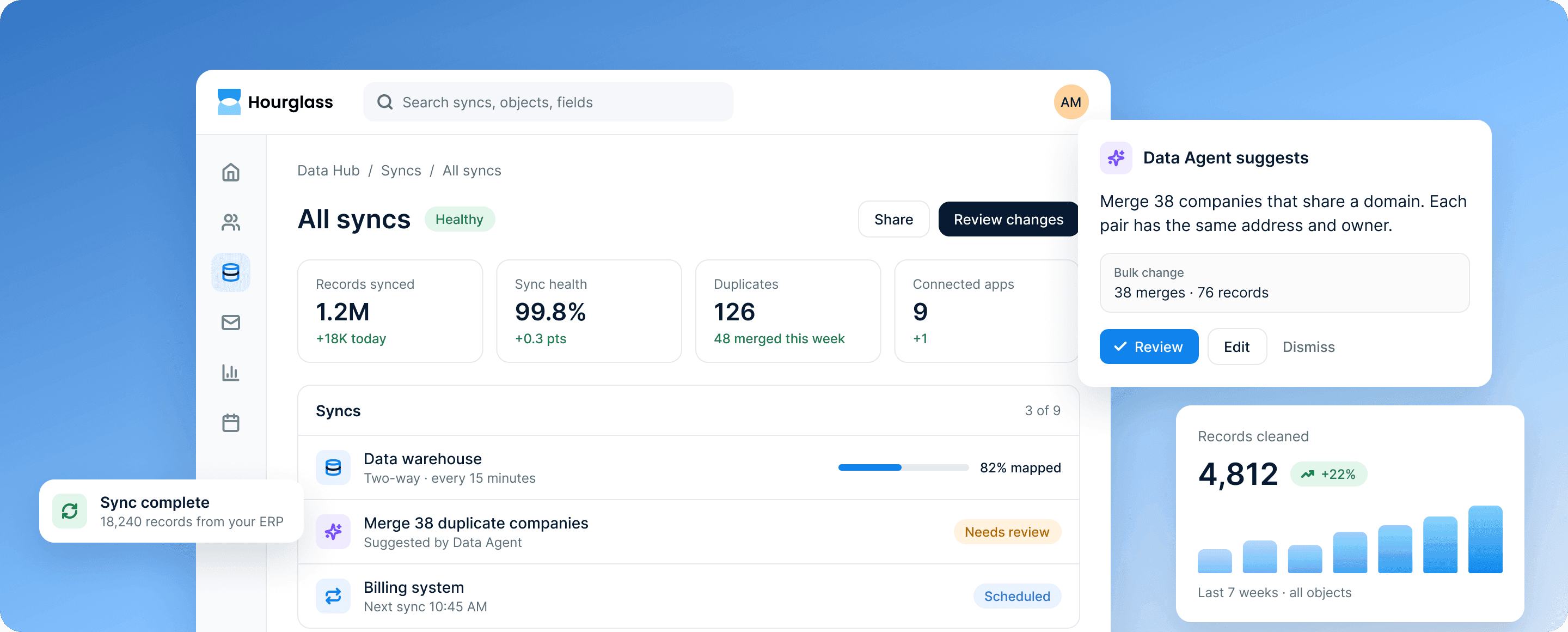
Data Hub's syncs: 1.2M records synced at 99.8% health, beside a Data Agent suggestion to merge 38 duplicate companies.
2 · From Data Hub (opens in a new tab)

How it works

Data your teams and agents can rely on

Agents are only as good as the records they read. Data Hub keeps those records complete and correct.

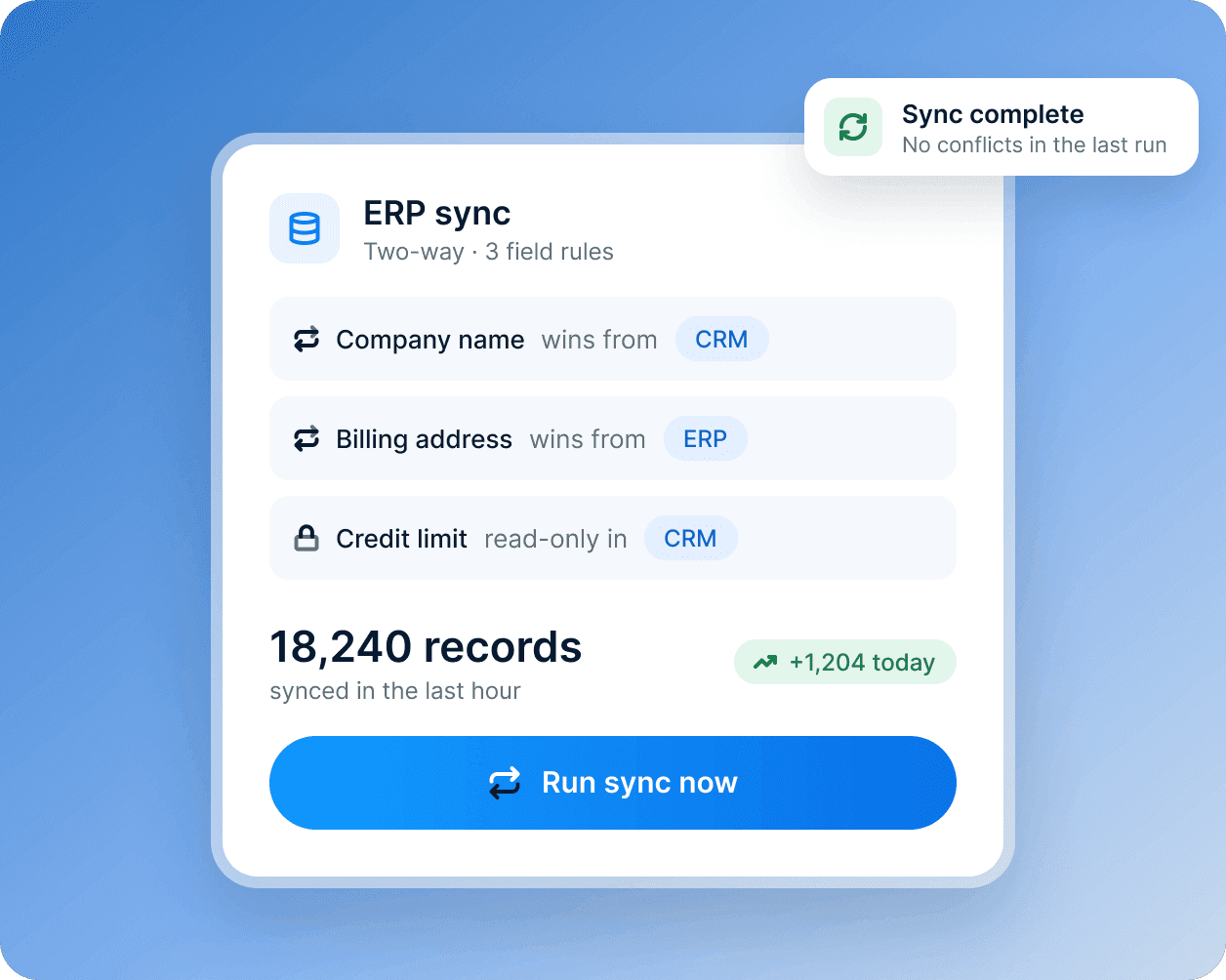
An ERP sync card: the field rules that decide which system wins, and 18,240 records synced in the last hour.

Two-way syncs, without custom code

Connect warehouses, ERPs and billing tools with ready-made syncs, map the fields once and choose which system wins when they disagree.

  • Ready-made syncs for warehouses, ERPs and billing
  • Field rules that decide which system wins
  • Read-only fields where you need them
Learn more about integrations and moving your data
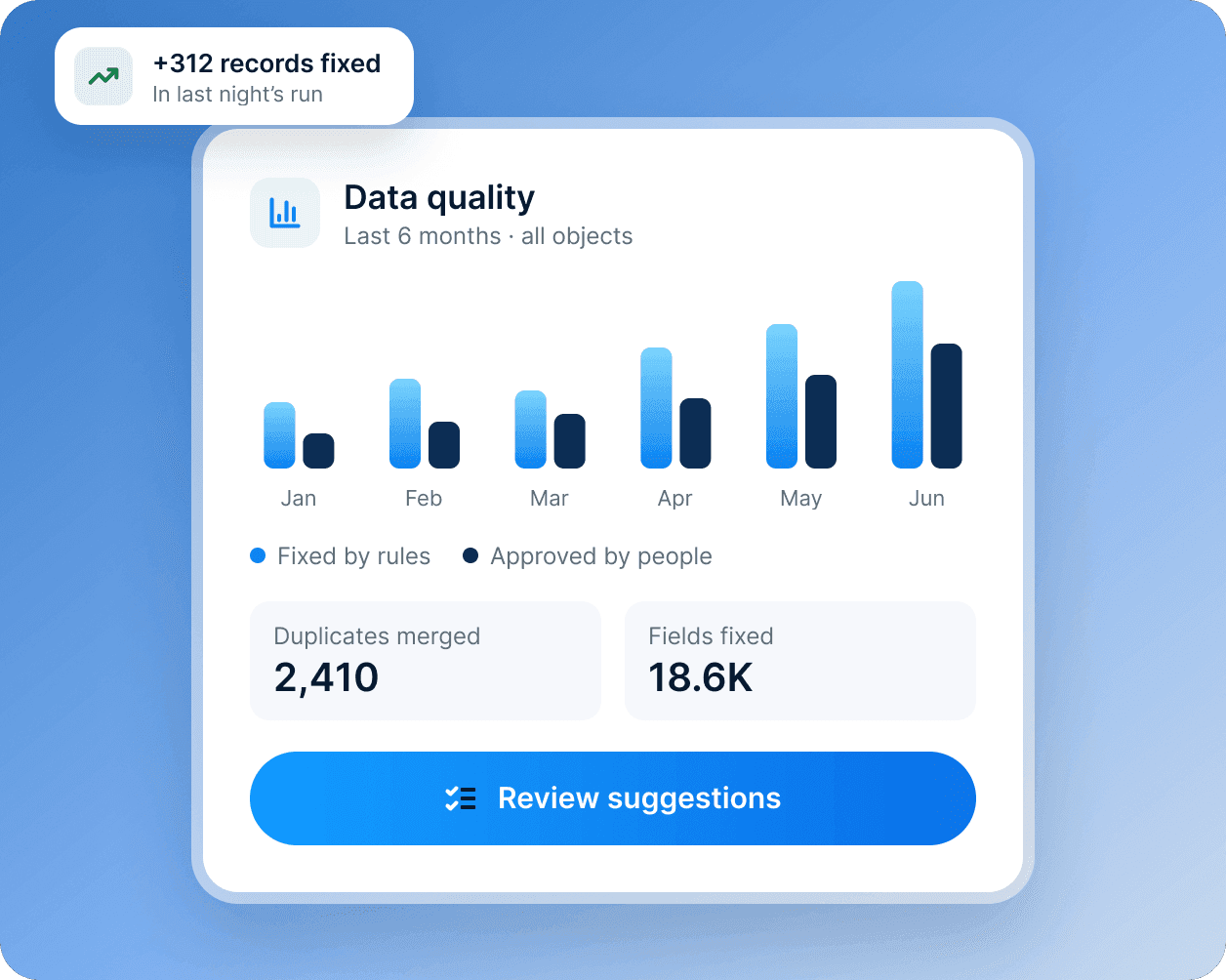
A data quality card: six months of fixes, 2,410 duplicates merged and 18.6K fields fixed.

Cleanup that keeps up

Duplicate checks, formatting rules and the Data Agent’s suggested fixes keep records tidy. A person approves bulk changes before they run.

  • Duplicates found and merged
  • Formatting fixed in bulk
  • Bulk changes approved by a person
Learn more about the Data Agent
3 · On 2 site pages, such as Data Hub (opens in a new tab)

What’s included

The tools in Data Hub

Connect, clean and govern customer data in one place.

  • Data syncs

    Two-way syncs with the systems you already run.

  • Custom objects

    Model products, sites, policies or anything else you track.

  • Data quality

    Find and merge duplicates, and fix formatting in bulk.

  • Field-level permissions

    Decide who can see and change each field, by role and team.

  • Data Agent

    Explains which accounts are ready to buy, at risk or ready to grow, and why.

  • Change history

    Every change logged with who made it, a person or an agent.

DocsFrom the Hourglass documentation

The rest of your answer, from the docs

The site doesn't have a page for this yet, so here is the documentation, word for word.

Integrations › Data warehouse sync

Sync schedule

Syncs run every 15 minutes on Professional and every 5 minutes on Enterprise. You can also start a sync at any time from Data Hub › Syncs › Run now. The sync history shows each run's records read, written and skipped.

Read the full guide in the docs (opens in a new tab)