

Built for your question · 3 sections from 1 page + 2 from the docs

Back to original

A page built for your question

1 · On 3 site pages, such as Pricing (opens in a new tab)

What every plan includes

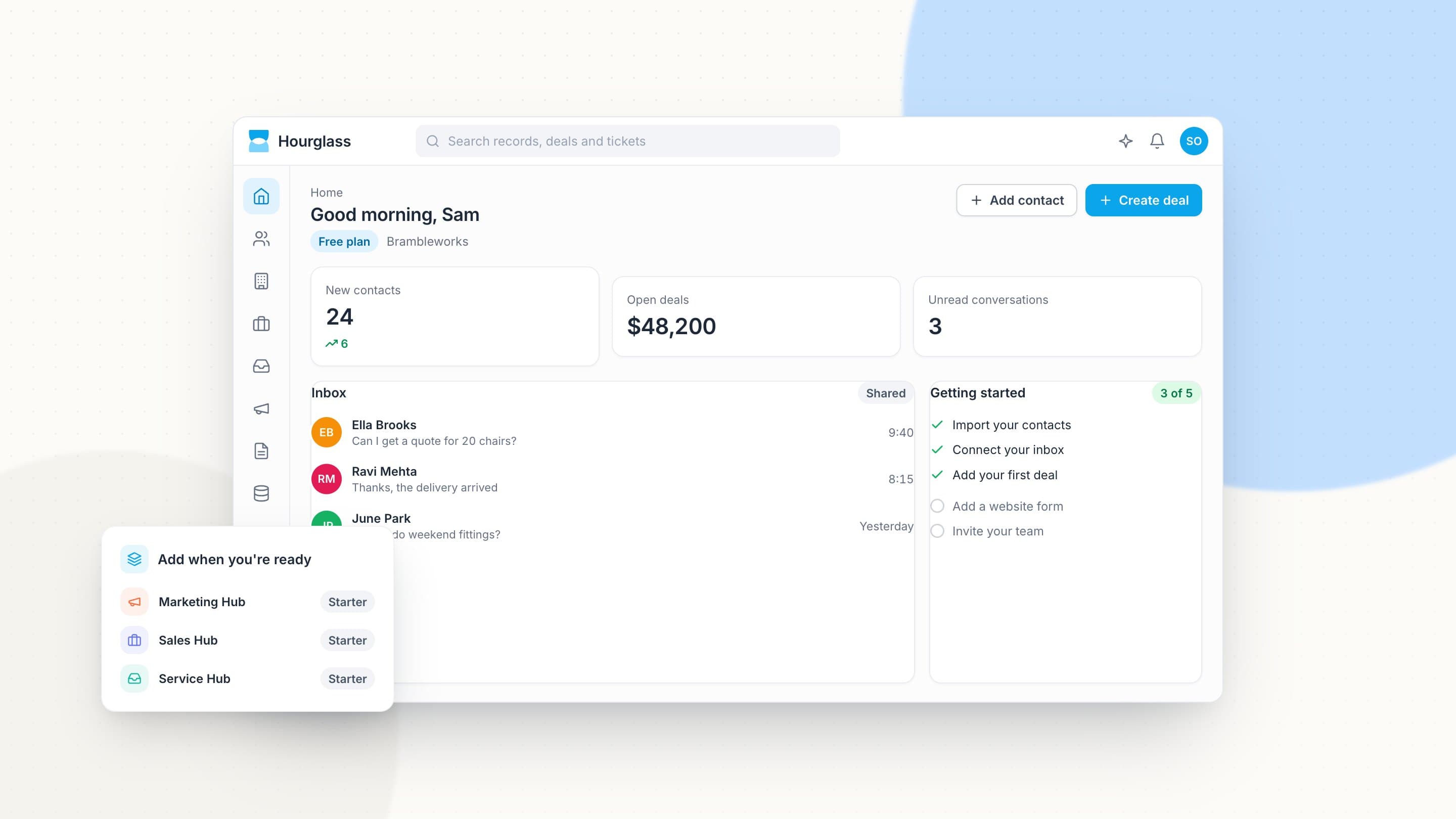
Start with the Smart CRM for free. Add hubs and agents when your team is ready.

  • Smart CRM

    Contacts, companies, deals and tickets, free for your whole team.

  • Hubs as you need them

    Add Marketing, Sales, Service, Content, Data or Revenue Hub one at a time.

  • Agents when you’re ready

    Add agent seats on any paid plan, team by team, and see what each costs before you turn it on.

  • Onboarding

    Guided setup on paid plans, with a specialist for larger teams.

  • Support

    Help by chat and email on every plan, and by phone on paid plans.

  • Integrations

    Connect the tools you already use from the app marketplace.

2 · From Pricing (opens in a new tab)

Pick the plan that fits today

Every plan includes the Smart CRM. Move up when you need more automation, more agents or more control.

Hourglass's free Smart CRM for a small business: contacts, deals and inbox, with a getting-started checklist
3 · On 3 site pages, such as Pricing (opens in a new tab)

Start free today, and add hubs when you’re ready

DocsFrom the Hourglass documentation

The rest of your answer, from the docs

The site doesn't have a page for this yet, so here is the documentation, word for word.

Administration › Users and roles

Agent seats

Agents use agent seats, separate from the seats your people use. You add them team by team: a support team might have one Customer Agent seat, and sales a Prospecting Agent seat.

On Starter you can add Customer Agent seats. Professional includes the four agents.

Read the full guide in the docs (opens in a new tab)

Agents › Agent usage and limits

Monthly allowances

Each agent seat includes 2,000 actions a month on Professional and 5,000 on Enterprise. Admins get an email at 80% and at 100%. At the limit, the agent keeps answering customers but stops drafting new work until the next month, unless an admin raises the limit from Agent Hub › Usage.

Read the full guide in the docs (opens in a new tab)